-
 Animation
-
 Live Performance
-
 Virtual Production
-
Sound and Motion
1400
Frames per seconds
max frequency, for fast dynamic movement capture
160
Cameras
at a single customer stage
185+
Objects
tracked and streamed simultaneously
Entertainment production demands motion capture that is real-time ready, scalable, and flexible.
Qualisys delivers low-latency streaming, custom character solving, and mocap systems that scale from indie studios to full-stage productions.
Why Choose Qualisys for Mocap?
-

Real-time ready
Live solving and low-latency streaming ensure immediate feedback. See final results during capture, not hours later – saving time and money.
-
Unbound creative freedom
Custom skeleton solving enables capture for any rig, including creatures, stylized characters, or virtual avatars.
-
Scalable Simplicity
Systems range from compact indie setups to full-stage, multi-actor volumes, with easy expansion.
Animation
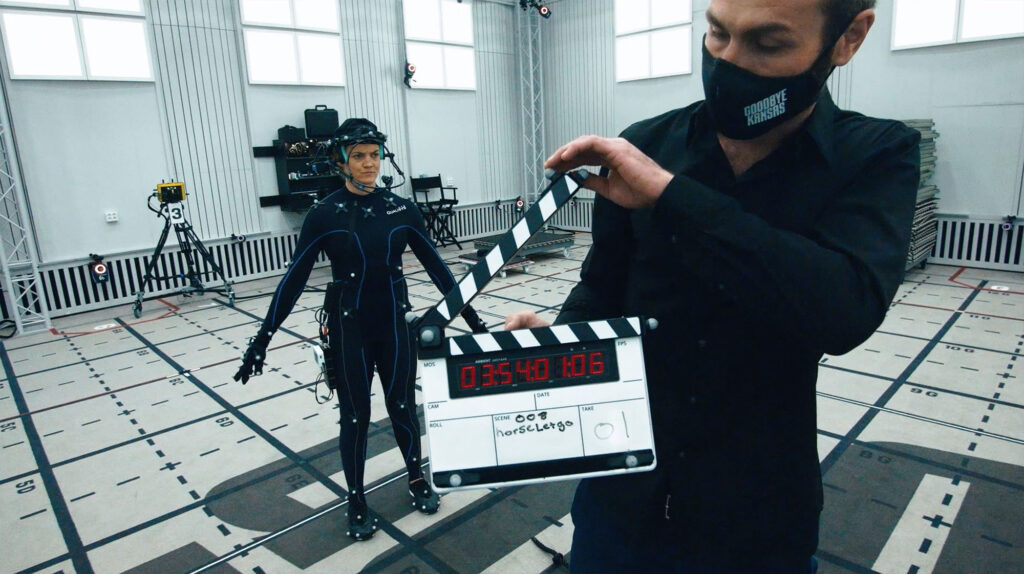
Animation teams have one job: deliver production-ready data on deadline without compromising creative vision. The work is hard enough without marker swap nightmares, manual cleanup that burns through animator hours, or pipelines that fight the engine. Qualisys delivers real-time character performance capture, from automation and scripting tools that reduce cleanup to direct streaming, so animation professionals hit deadlines and keep the work creative.

Live Performance
When millions are watching there are no second chances. Live broadcast and stage performances share the same uncompromising rule: it has to work in real time, every time. Directors need to see final-quality shots on set, not months later. Qualisys delivers low-latency, real-time motion capture for live broadcasts, on-stage performances, and interactive installations, enabling production teams to go live with confidence.
Virtual Production
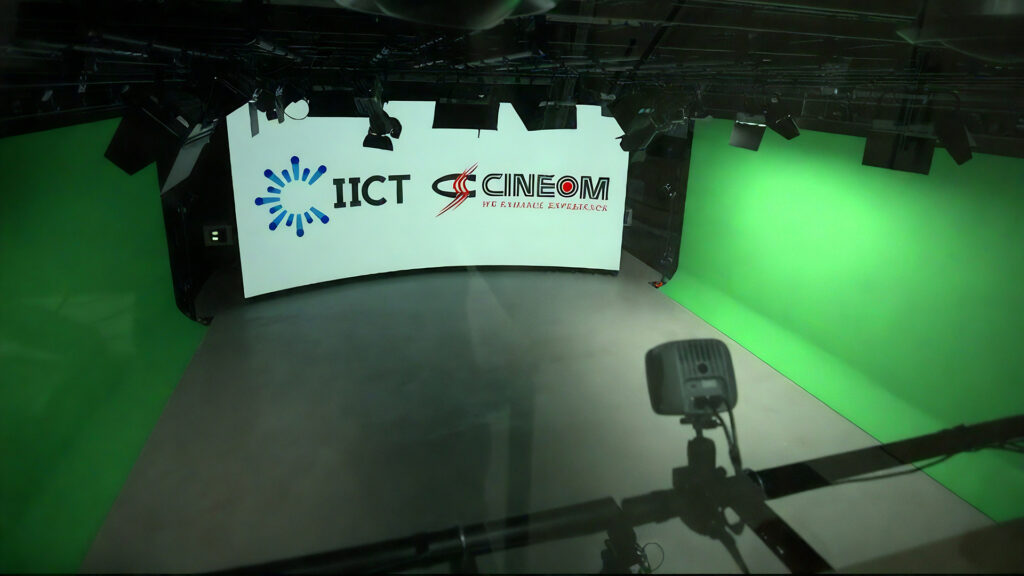
Virtual production only works when the tracking holds: when the camera tracking, the performer tracking, and the engine all share one accurate, low-latency truth. Qualisys delivers the real-time motion capture that keeps the in-camera illusion intact, integrates natively with Unreal Engine, and gives VP teams the creative control to make decisions on set instead of months later.
-
 Custom Skeleton Solving
-
Finger and Facial Integration
-
Large Volume Capture
-
Real-time Scripting Tools
-
Student and Site Licenses

References



Frequently Asked Questions
It gives absolute position in a shared coordinate system, with no drift and no re-anchoring. IMUs measure relative motion, so translation drifts over a session and props, set pieces, and other performers are not in the same coordinate frame as the actor. That shows up in specific shots: two characters making contact, an actor picking up a tracked prop, foot contact that has to sit on the floor plane. Video and AI tools can be useful for previz, but they are not built to hold a character through a hero shot with prop interaction, and that is the work optical systems are for.
Yes, QTM solves a skeleton and streams it in real-time it through maintained plugins to Unreal Engine, Unity, MotionBuilder, Maya,Reallusion iClone, Warudo, and Houdini. What reaches the monitor during the take is the character, not a placeholder skeleton retargeted later.
A performance that reads correctly on a human body can read wrong on a character with different proportions, mass, and silhouette. Seeing it live means the director adjusts the performance while the talent is still on the floor, instead of finding the problem once the stage has been struck. Adjustments cannot be made in real-time, although quick-fix rig scaling and fitting is where Qualisys’ Skeletune application comes in handy.
Yes, and this is unique to Qualisys solutions. Custom skeleton definitions in QTM solve anything representable as a segment hierarchy, with multiple skeletons solved at once for multi-actor streaming, self-contained with no third-party application in the chain. Every dependency in a pipeline is a place it can fail, and the failures never happen on a quiet week. If a creature rig is on your project, lead your evaluation with it.
The realistic truth is that cleanup never reaches zero on any optical system, and how much you need depend on occlusion and complexity. Most of the cost comes from markers lost to occlusion, marker swaps, and rig mismatches at retarget. Each one meets a specific tool in QTM:
For markers lost to occlusion: Arqus cameras carry wide field of view options and resolutions up to 26 MP, so a marker stays visible further out and across more of the volume. In a side-by-side test against two major optical vendors, Arqus held the marker at a distance where both of the others had lost it. When a marker does drop, QTM’s software tools can support using tools like Skeleton Assisted Labeling, which identifies missing markers from the solved skeleton.
Marker swaps: Automatic Identification of Markers labels trajectories from the angles and distances between markers rather than proximity alone, which keeps two identities from trading places when performers close on each other.
For rig mismatches: Skeletune settles the character’s solver model before the stage. Fit a delivered FBX, OBJ, or glTF rig to a QTM markerset, adjust degrees of freedom, attachments, weights, and pose, then stream live QTM data onto the rendered mesh to confirm the solve against the surface that ends up on screen.
Across all these and others potential drivers of clean up, the QTM Scripting Interface removes whatever repeats. Python, Lua, and a REST API let a technical director batch a correction across every take in a session or drive exports without waiting on a release from us.
A single customer stage has tracked and streamed 185+ objects at the same time, on an installation of 160 cameras. Treat that as a reference point from a working installation rather than a ceiling. Your practical limit comes from volume size, camera count and placement, marker configuration, and how much the performers block each other.
No, LED walls do not interfere with our optical tracking cameras. LED panels typically do not emit infrared light, so they do not affect the cameras’ ability to see and track reflective markers.
Our system performs reliably in virtual production environments with LED volumes, enabling stable and accurate tracking alongside high-brightness LED panels and on-set production workflows.
Qualisys systems can track fingers by placing passive markers directly onto hands, or through integration with hand tracking devices, including StretchSense and Manus. Finger tracking is a challenging part of any optical capture – markers are small, close together, and constantly occluded by the hand’s own geometry and by whatever the performer is holding. Higher camera density, higher frame rate, and grip-specific marker layouts improve it, but the obstacle of the physical markers can be hard to overcome, which is why the glove integrations exist.
Qualisys maintains native plugins for Unreal Engine, Unity, MotionBuilder, Maya, and iClone Motion LIVE, plus a real-time server streaming skeleton, rigid body, marker, force, and timecode data over TCP or UDP.
QTM Connect for Unreal connects through Unreal’s own Live Link system. Since custom skeleton solving runs inside QTM, a creature rig arrives already solved, with no separate solver application to license or version-match.
Skeleton data exports to FBX, MAT, TSV, and JSON formats, for processing in third-party applications. Real-time SDKs in C++, C#, and Python cover anything the plugins do not.
Yes, and live performance is one of the three things this platform is built around. Cie Gilles Jobin has run Qualisys through live performances and many hours of rehearsal, and their founder describes the cameras as hyper-reliable across both. Goodbye Kansas Studios and Beyond Capture run production schedules on the same hardware. What makes a live show safe is how the volume is designed, and we will work through that with you.
It is common to go straight to price per camera, or number of cameras, which can be risky because you are merely pursuing a war on specifications, and not considering which provider offers the most practical solution for your specific needs and operations.
Instead, compare pipeline dependencies, meaning how many separate applications sit between the marker and the character in your engine and who maintains each one. Compare performance on your hardest scene, not a clean demo. Compare cleanup ratio, in hours per minute of capture, with conditions attached. And compare ten-year cost: support continuity, camera compatibility, licensing model, and whether the data is still readable in a decade.
Want to know more?
Get in touch with a Qualisys representative to learn more about our motion capture solutions for entertainment.